> ## Documentation Index
> Fetch the complete documentation index at: https://moengage-analytics-query-api-docs.mintlify.site/llms.txt
> Use this file to discover all available pages before exploring further.
# Configure Kwikchat (Gokwik)
MoEngage natively integrates with Kwikchat (GoKwik)to send Templated WhatsApp messages, show delivery, and read analytics for senders.
Configuring Kwikchat (GoKwik) with MoEngage is a two-step process:
Step 1: [Sender Configuration](#sender-configuration)
Step 2: [Delivery Tracking](#delivery-tracking)
# Sender Configuration
To configure a Sender from Kwikchat (GoKwik) on the MoEngage Dashboard, follow the steps below:
1. Go to **Settings** **>** **WhatsApp >** **Sender Configuration**.
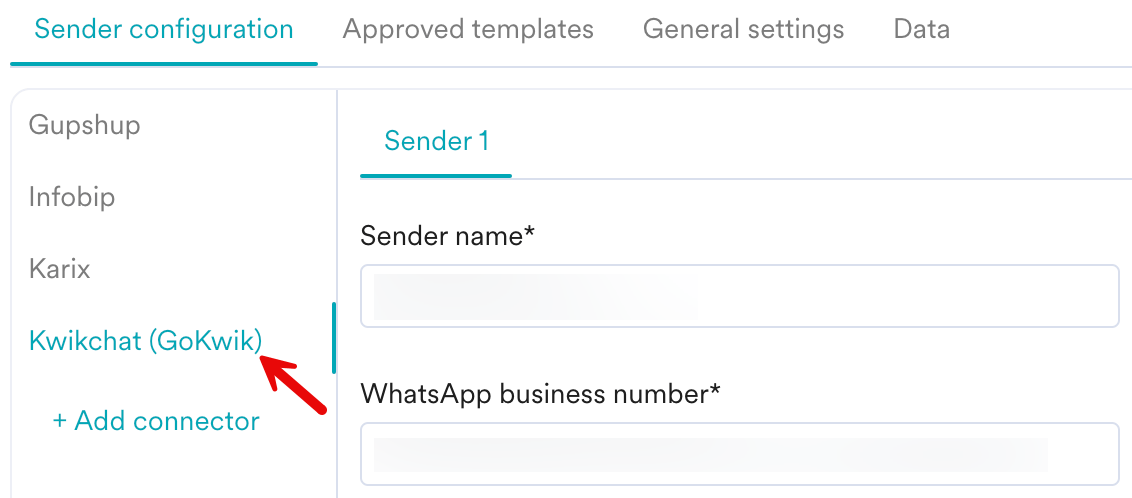
2. Click the **+Add connector** from the left pane under the **Sender configuration** tab.
You can choose Kwickchat (GoKwik) from the left pane if you have already added Kwikchat (GoKwik) to your connector list.
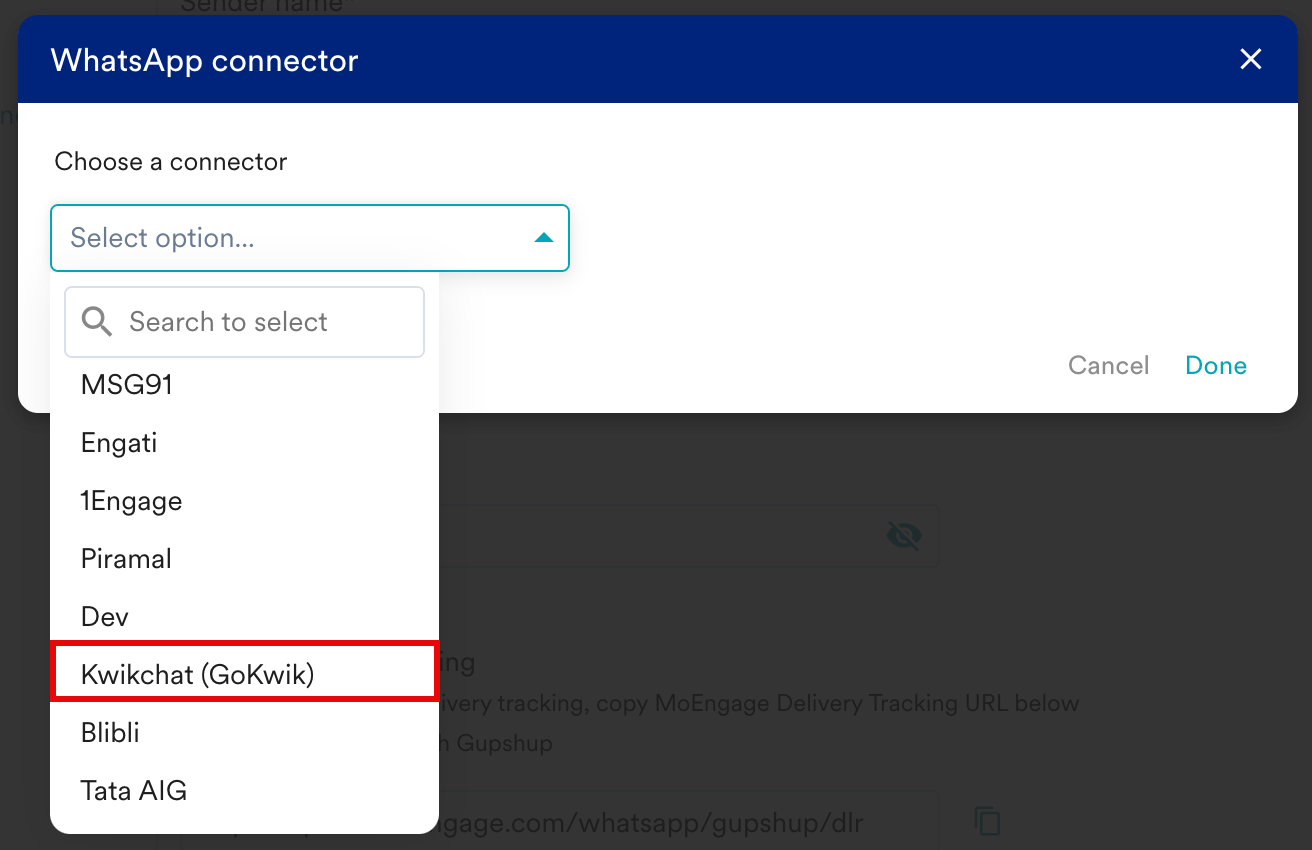
 3. Select **Kwikchat (GoKwik)** from the **Choose a connector** dropdown and then click **Done**.
 4. Add the following details:
| Field Name | Description |
| ------------------------ | ------------------------------------------------------------------------------------------------------------------------------------------------------------------------------------------------------------------------------------------------------------------------------------------------------------------------------------------------------------------------------------------------------------------------------------------------------------------------------------------------------------------------------------------------------------------------------------------------------------------------------------------------------------------------------------------------------------------------------------------------------------------------------------------------------------------------------------------------------------------------------------------------------------------------------------------------------------------------------------------------------------------------------------------------------------------------------------------------------------------------------------------------------------------------------------------------------------------------------------------------------------------------------------------------------------------------------------------------------------------------------------------------------------------------------------------------------------------------------------------------------------------------------------------------------------------------------------------------------------------------------------------------------------------------------------------------------------------------------------------------------------------------------------------------------------------------------------------------------------------------------------------------------------------------------- |
| Sender Name |
4. Add the following details:
| Field Name | Description |
| ------------------------ | ------------------------------------------------------------------------------------------------------------------------------------------------------------------------------------------------------------------------------------------------------------------------------------------------------------------------------------------------------------------------------------------------------------------------------------------------------------------------------------------------------------------------------------------------------------------------------------------------------------------------------------------------------------------------------------------------------------------------------------------------------------------------------------------------------------------------------------------------------------------------------------------------------------------------------------------------------------------------------------------------------------------------------------------------------------------------------------------------------------------------------------------------------------------------------------------------------------------------------------------------------------------------------------------------------------------------------------------------------------------------------------------------------------------------------------------------------------------------------------------------------------------------------------------------------------------------------------------------------------------------------------------------------------------------------------------------------------------------------------------------------------------------------------------------------------------------------------------------------------------------------------------------------------------------------- |
| Sender Name | - Provide a name to the Sender profile.
- This would be available in the Sender so that you can recognize this easily while using it to create a campaign inside MoEngage.
- The **Sender Name** is a mandatory field that should be between 5-50 characters.
|
| WhatsApp business number | - Enter the phone number registered with WhatsApp (through Kwikchat) using which you want to send out WhatsApp Messages to your users. \* You can find the Sender Details on **Kwikchat>Whatsapp Profile > phone number**.
- This is a mandatory field and is also referred to as the WABA number.
|
| API URL | Collect the API URL from your Vendor and then enter it in the **API URL** field. Sample URL:
[**https://apiv2.tellephant.com/v1/moengage**](https://apiv2.tellephant.com/v1/moengage) |
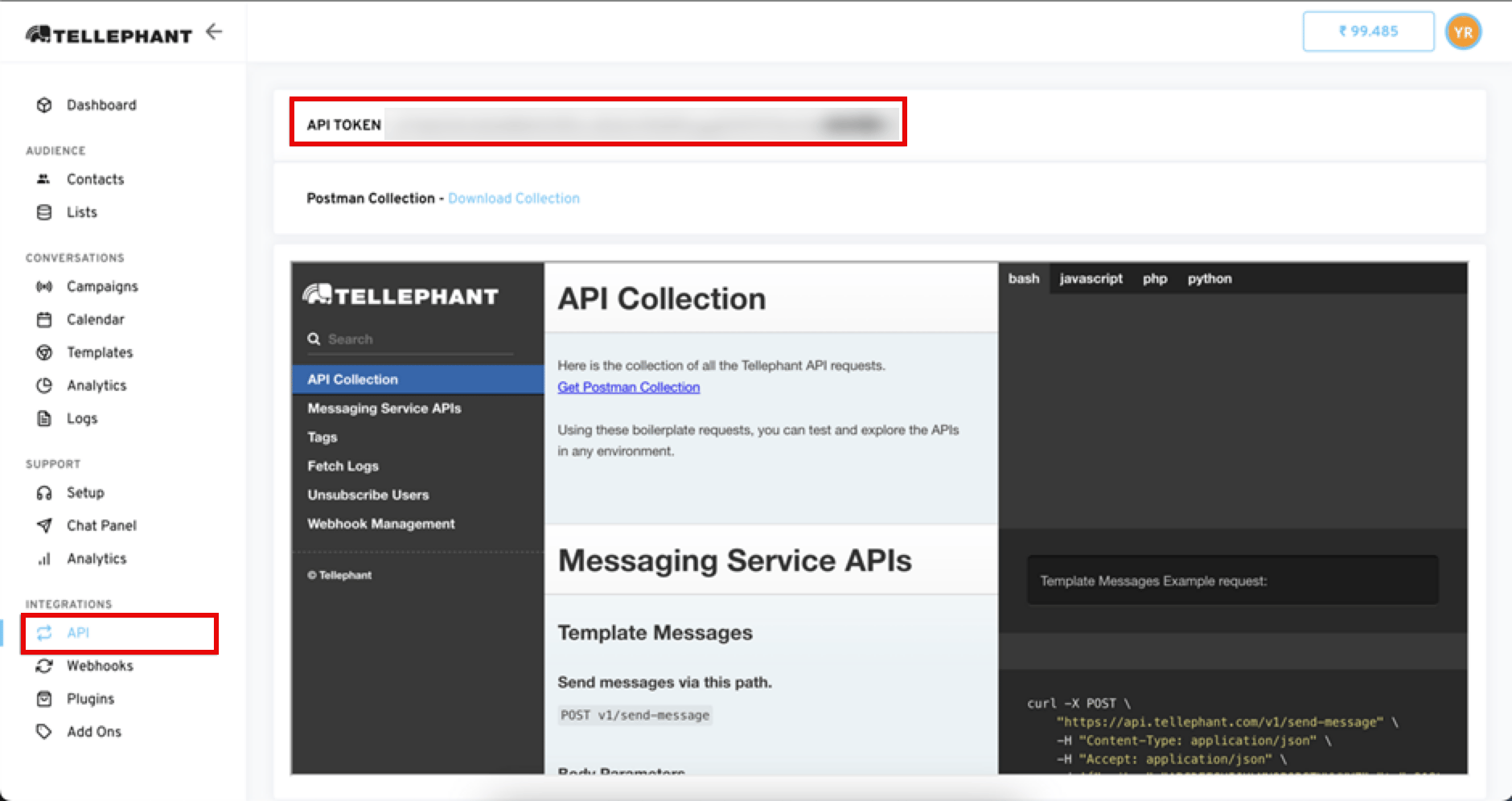
| X-api-key | - Copy the API token in your Kwikchat(Gokwik) account and paste it into the **X-api-key** field in the Moengage dashboard.
- You can find your API token by [Logging in to your Kwikchat(Gokwik)](https://app.tellephant.com/) account and navigating to **Integrations> API**.
|
5. Click **Save**.
6. Notify Kwikchat to enable/validate the API token.
# Delivery Tracking
To track the delivery of your WhatsApp Messages inside MoEngage, you need to copy the **MoEngage Delivery Tracking URL** and update it on the Kwikchat (Gokwik) dashboard.
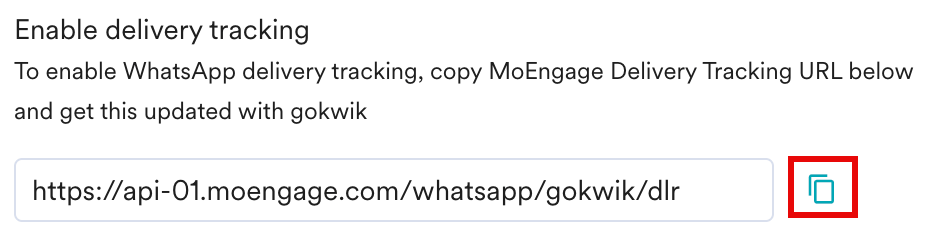 The URL in the image above is a sample URL. Copy the exact URL from your MoEngage dashboard and update it on the Kwikchat (Gokwik) dashboard.
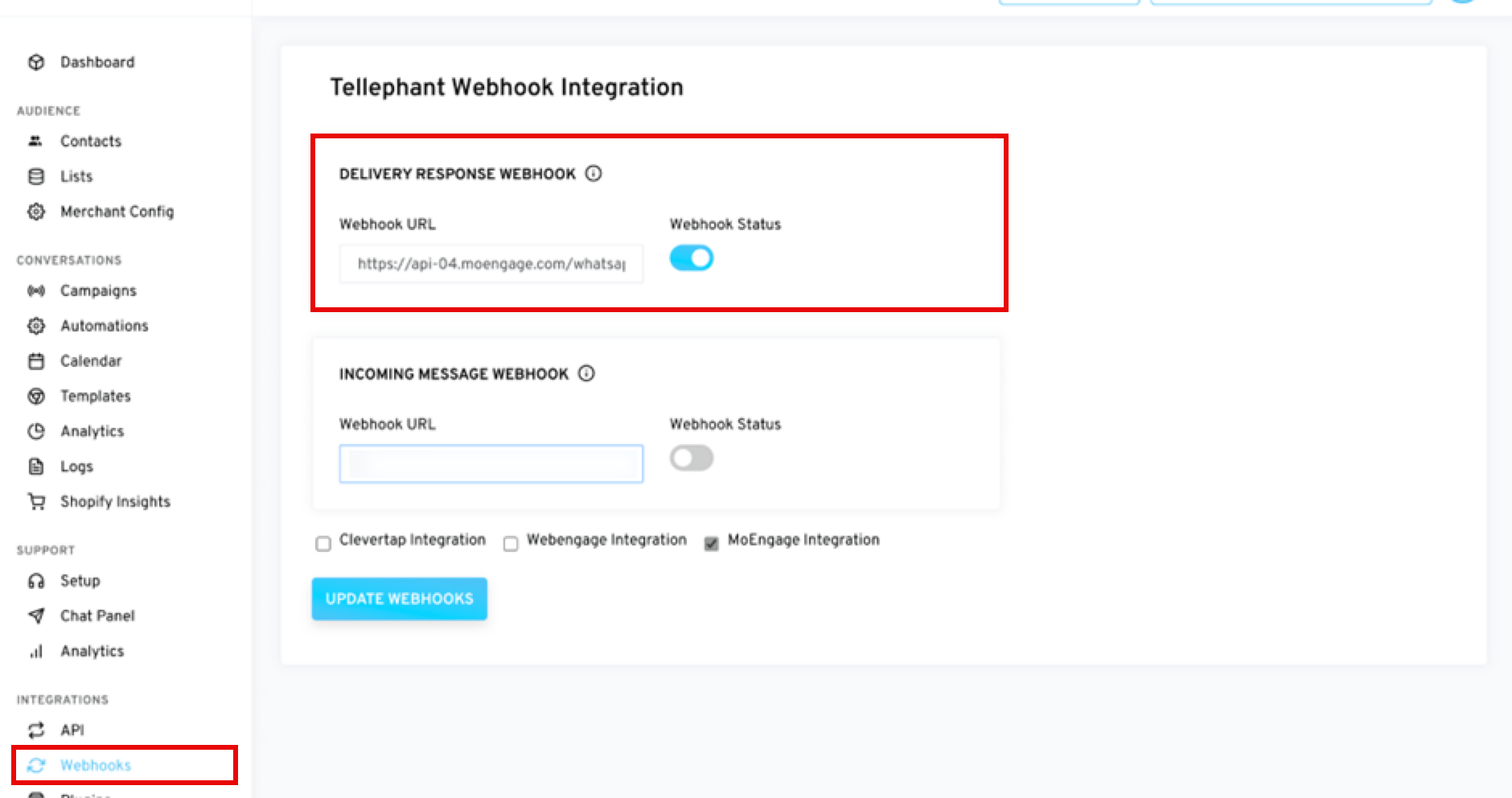
To add the MoEngage Delivery Tracking URL to the Kwikchat (Gokwik) dashboard,
1. [Login to your Kwikchat(Gokwik)](https://app.tellephant.com/) account and go to **Integrations > Webhook**.
2. Paste the URL in the**Webhook URL** field in the **DELIVERY RESPONSE WEBHOOK** section and enable the **Webhook Status**.
3. Check the **Moengage Integration** checkbox and click the **UPDATE WEBHOOKS** button.
The URL in the image above is a sample URL. Copy the exact URL from your MoEngage dashboard and update it on the Kwikchat (Gokwik) dashboard.
To add the MoEngage Delivery Tracking URL to the Kwikchat (Gokwik) dashboard,
1. [Login to your Kwikchat(Gokwik)](https://app.tellephant.com/) account and go to **Integrations > Webhook**.
2. Paste the URL in the**Webhook URL** field in the **DELIVERY RESPONSE WEBHOOK** section and enable the **Webhook Status**.
3. Check the **Moengage Integration** checkbox and click the **UPDATE WEBHOOKS** button.
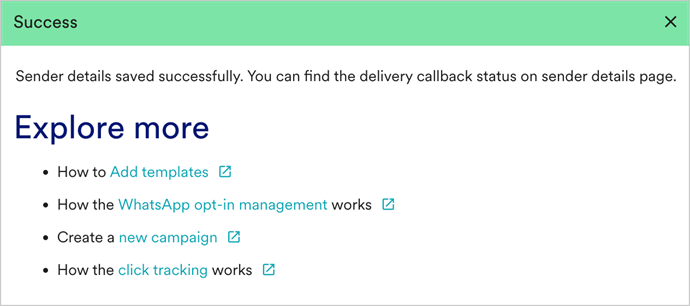
 Upon successful integration, the following message is displayed.