> ## Documentation Index
> Fetch the complete documentation index at: https://moengage-analytics-query-api-docs.mintlify.site/llms.txt
> Use this file to discover all available pages before exploring further.
# Suspicious Login Verification
> Learn how MoEngage verifies suspicious logins from new devices or locations using an OTP sent to your registered email for added security.
# Overview
Logging in from a new location or a new device requires further authentication using an OTP sent to your email address. MoEngage sends an OTP to your registered email whenever it detects a new device/new location for your ID. This is more beneficial than only using login credentials, as
* An additional layer of authentication increases security.
* The risk, in case of compromised credentials, is reduced.
# Log In
Once you enter your login credentials on the login page, MoEngage detects either your device or location as unrecognized and takes you to a new page where the system asks you for an OTP.
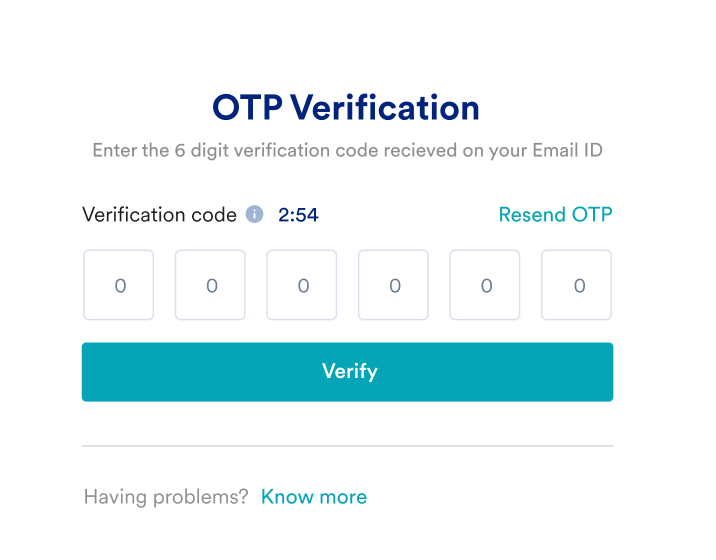 1. Enter the OTP received on your registered email address.
2. Click **Verify**.
* If you don't see the mail in your inbox, you can search for an email with the subject line MoEngage login OTP.
* The OTP is valid for 3 minutes only. After 3 minutes, your OTP will expire, and you will have to re-enter your credentials.
You should now be directed to your MoEngage account. If you still have any issues, contact the MoEngage Support team.
1. Enter the OTP received on your registered email address.
2. Click **Verify**.
* If you don't see the mail in your inbox, you can search for an email with the subject line MoEngage login OTP.
* The OTP is valid for 3 minutes only. After 3 minutes, your OTP will expire, and you will have to re-enter your credentials.
You should now be directed to your MoEngage account. If you still have any issues, contact the MoEngage Support team.